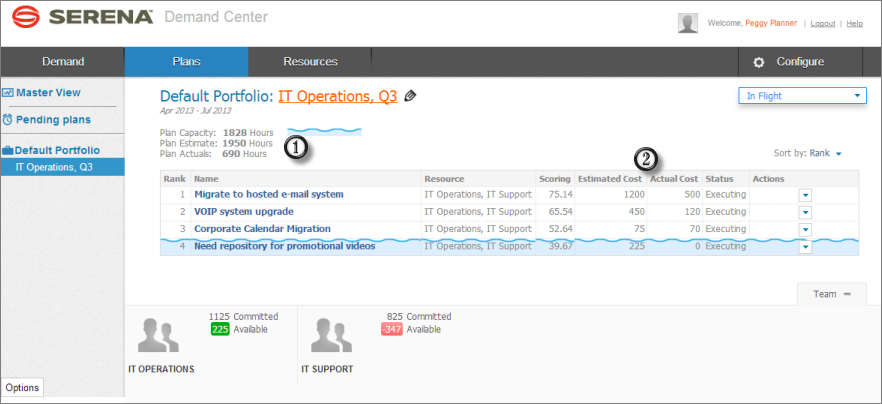
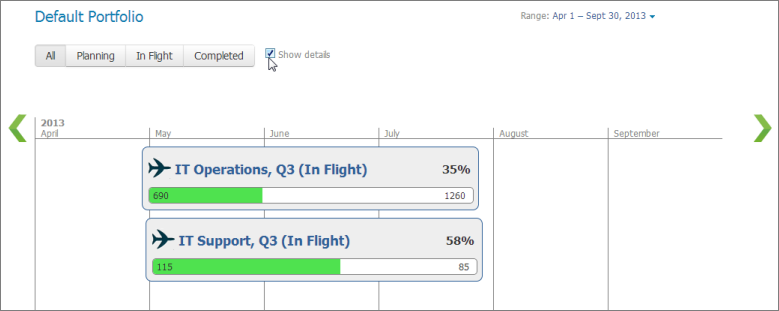
Once plans are in flight, resources can associate work items with a plan's demand items from the SBM User Workspace. Plan information related to the work item is then available to resources, and Demand Center users can view the list of work items from an item in a plan.
Work items can be associated with demand items if your administrator has added the Demand widget to custom forms in your work item process apps. You must have privileges to update the work items as well.
If Time Capture options are enabled, resources can record the amount of time they spend on each work item. This information is used to calculate "actuals" in Demand Center, enabling product managers and others to see the cost of each item and each plan. Refer to Viewing Resource Estimates vs. "Actuals".
To associate work items with a plan:
- In the SBM User Workspace, find the work item to associate with the plan.
-
In the Demand widget section, click the
Here link.

-
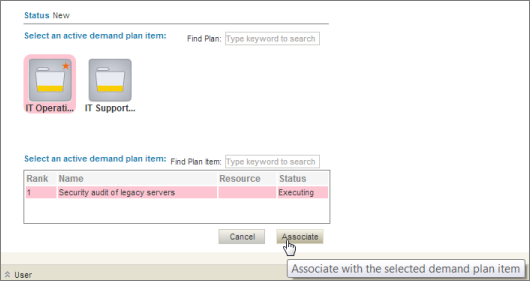
Select the plan to associate with the work item, select a demand
item from the list, and then click
Associate. Plans set as the default for the
work item project are noted with a star.
 Note: To remove a work item association, click the link at the bottom of the Demand Widget.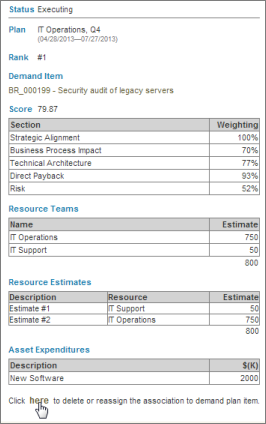
- Once work items are associated with a demand item, use Time Capture options to record the amount of time spent on each item.