Turnovers contain all the information needed to deploy application release artifacts to environments. Turnovers are typically created from and associated with application releases. They can also be created from release trains, although they are always associated to the application releases whose artifacts they are meant to deploy.
Component versions are associated with the turnovers, and these component versions are deployed to environments.
An example of turnovers for a whole release train are shown in the following figure.
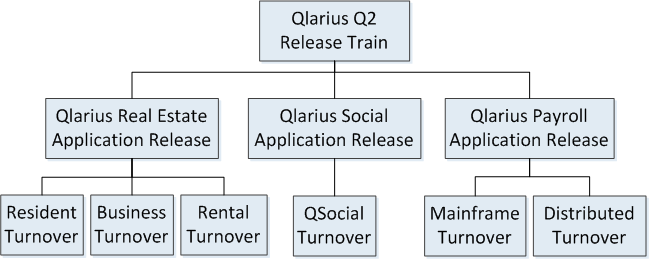
In this example, the turnovers are grouped according to the makeup of various development teams for an application release. Turnovers may represent a functional part of a release or components targeted to different platforms. A single turnover can be used for the entire application release. The categorization and makeup of turnovers will depend on your organization's needs.
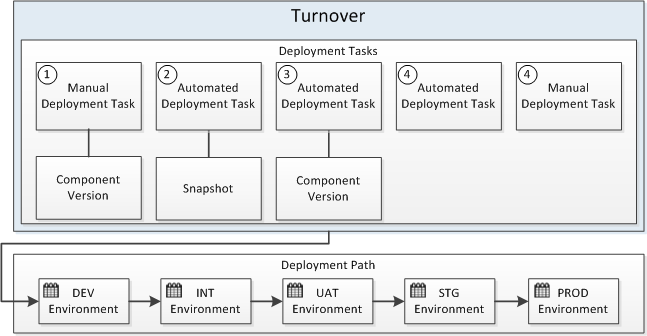
The details of what to deploy are defined in deployment tasks and the information on where and when to deploy it are defined in the deployment paths, which are a sequence of environments to which to deploy.
The following example shows the composition of a turnover. When a turnover is deployed, it is deployed to each environment in the deployment path, with approvals controlling the promotion along the path.
The following topics give more information on turnovers.