Dimensions are data sets that are used to represent certain situations
or goals. Dimensions enable users to group data which represents these
situations or goals within a single time period, such as a project plan, a
target, a budget, or actuals. There are two system dimensions:
- Actual This dimension contains values that represent the actual amounts of dimensioned attributes. For example, posted timesheet time is included in the Actual dimension for assignments. The Actual dimension can be renamed, but not deleted.
- Plan This dimension is used for more detailed project planning. Values in the plan dimension reflect a more detailed knowledge of the program and project execution requirements. The Plan dimension includes task plans for the task based investments, such as projects, as well as allocations for activity-based investments. The Plan dimension can be renamed, but not deleted.
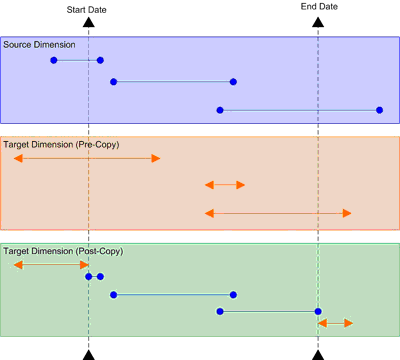
Dimensions can be added to some (but not all) of the views that are available in the Investments and Analyzer modules. There are two dimensions types:
- Roll-up In a roll-up dimension, parent investments display data that is rolled-up from its child investments. Rolled-up data is read-only in the parent investment. When data in the child investment changes, data in the parent investment changes too. If a child investment becomes a parent investment, original data in the child data is replaced by rolled-up data from its child investments. Most dimensions are roll-up dimensions.
- Roll-up In a static dimension, data is not rolled-up and there are no calculations. Data will be editable at any level of the parent/child hierarchy. Static dimensions are useful for top-down planning.
All security roles are given permission to view a dimension's investment data. You can prevent all users in your organization from being able to view a dimension's investment data by locking the dimension. Permission to edit a dimension's investment data is granted on a per-security role basis for each dimension. To give permission to edit a dimension's investment data, select the check box next to the security role. Permission to edit a dimension's investment data is given to all security groups for a pre-configured dimension.