Connections control process flow. The originating step will process before the target step. Creating a connection between steps is a simple process; drag a connection from the originating step to the target step. Connections are formed one at a time between two steps, the originating step and the target step.
To create a connection:
-
Hover your mouse pointer over the step that you want to use as the
connection's origin.
The pointer changes to the connection tool.
Connection Tool

-
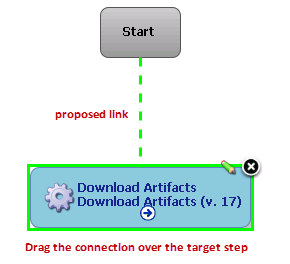
Drag the connection tool over the target step.
When the target step is highlighted, release the mouse to create a connection.
Dragging the Connection Over a Target Step
-
Release the connection tool over the target step to complete the
connection.
Completed Connection
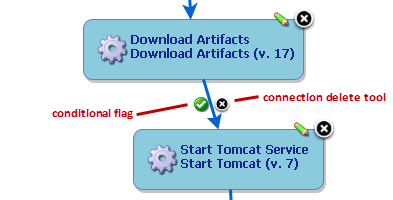
Each connection has a connection delete tool, conditional flag, and might have others depending on the originating step. Remove a connection by clicking on the delete tool.