Every connection (except connections from the Start step) has a delete tool and conditional flag. The conditional flag enables you to set a condition on a connection. The condition refers to the processing status of the originating step–success or failure. Possible flag conditions are:
- success
-
The process completed successfully.
- fail
-
The process did not finish successfully.
- both
-
Accept either status.
By default, all connections have the flag set to checked (true), meaning the originating step must successfully end processing before the target step starts processing.
To change a flag's value, cycle through possible values by clicking the flag.
Process with Switch Step
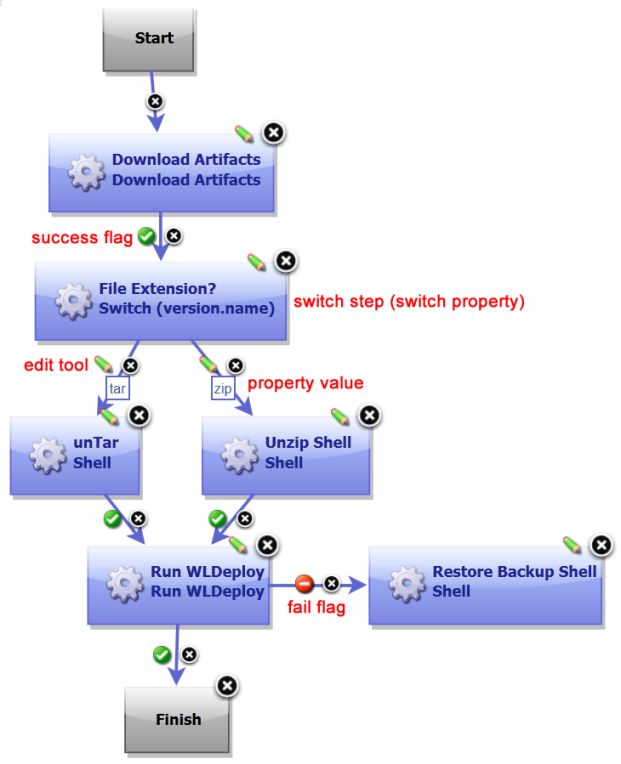
A switch step is a utility step supplied by Deployment Automation that enables process branching based on the value of a property set on the step. The accompanying figure illustrates a switch step. In this case, the switch property is version.name. The connections from the switch step represent process branches dependent on the value of version.name. In this example, regardless of which branch is taken, the process will proceed to the Run WLDeploy step.
For a process to succeed, execution must reach a Finish step. If it does not end with Finish, the process will fail every time.